What a Design Sync run records
TL;DR: Every Design Sync diff run records which judge produced it (
judge_version,judge_label,judge_arm) and how its two images were made (input_versionplus up to five capture warnings). When a warning fires, some findings may come from how the screenshots were taken rather than from the component. Those findings get a Likely capture artefact hint. The hint never changes an issue's status, severity or counts.
Where you see it
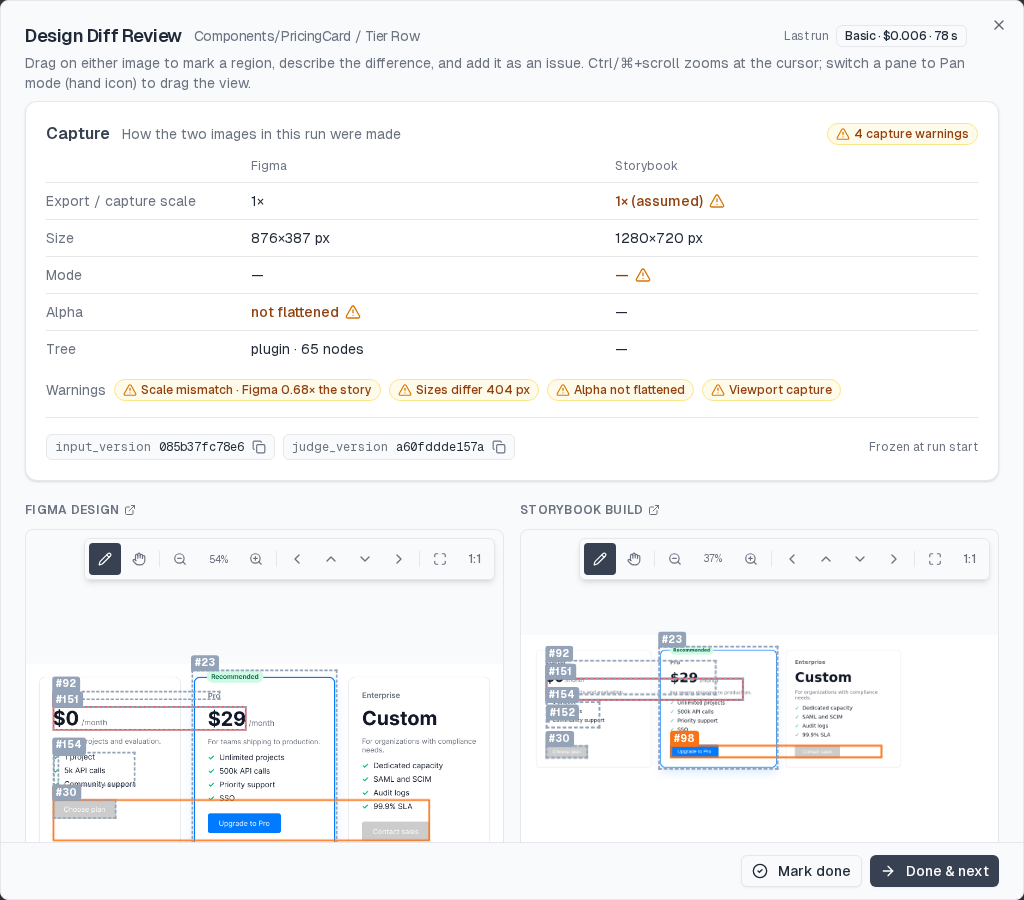
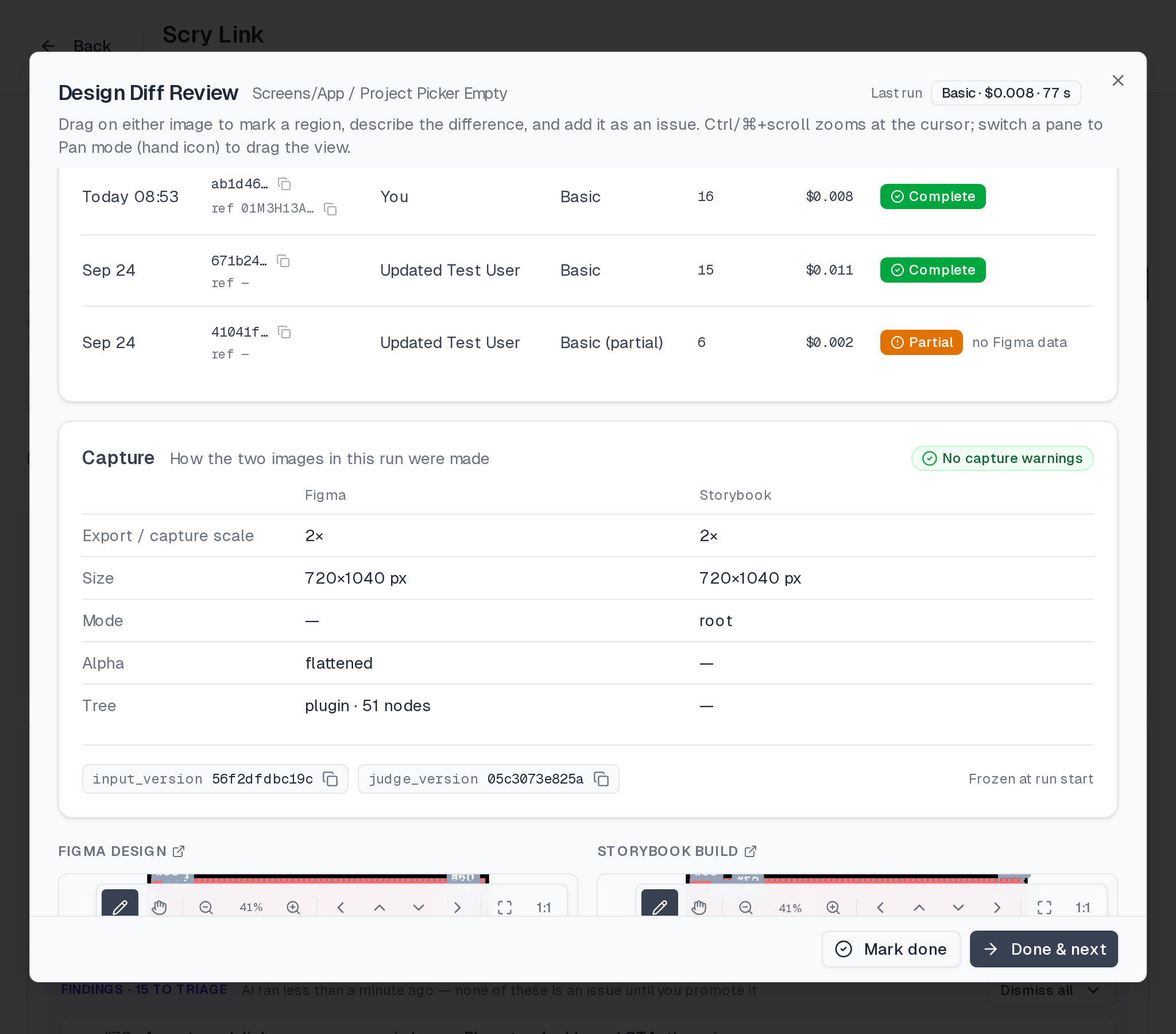
- Run detail → Capture card. Open a linked screen from Screens, in the diff editor (see Reviewing a Design Sync run for the surrounding navigation). The Capture card sits under the run summary: two columns (Figma, Storybook) with export or capture scale, pixel size, capture mode, alpha and tree source, then a row of warning chips, then
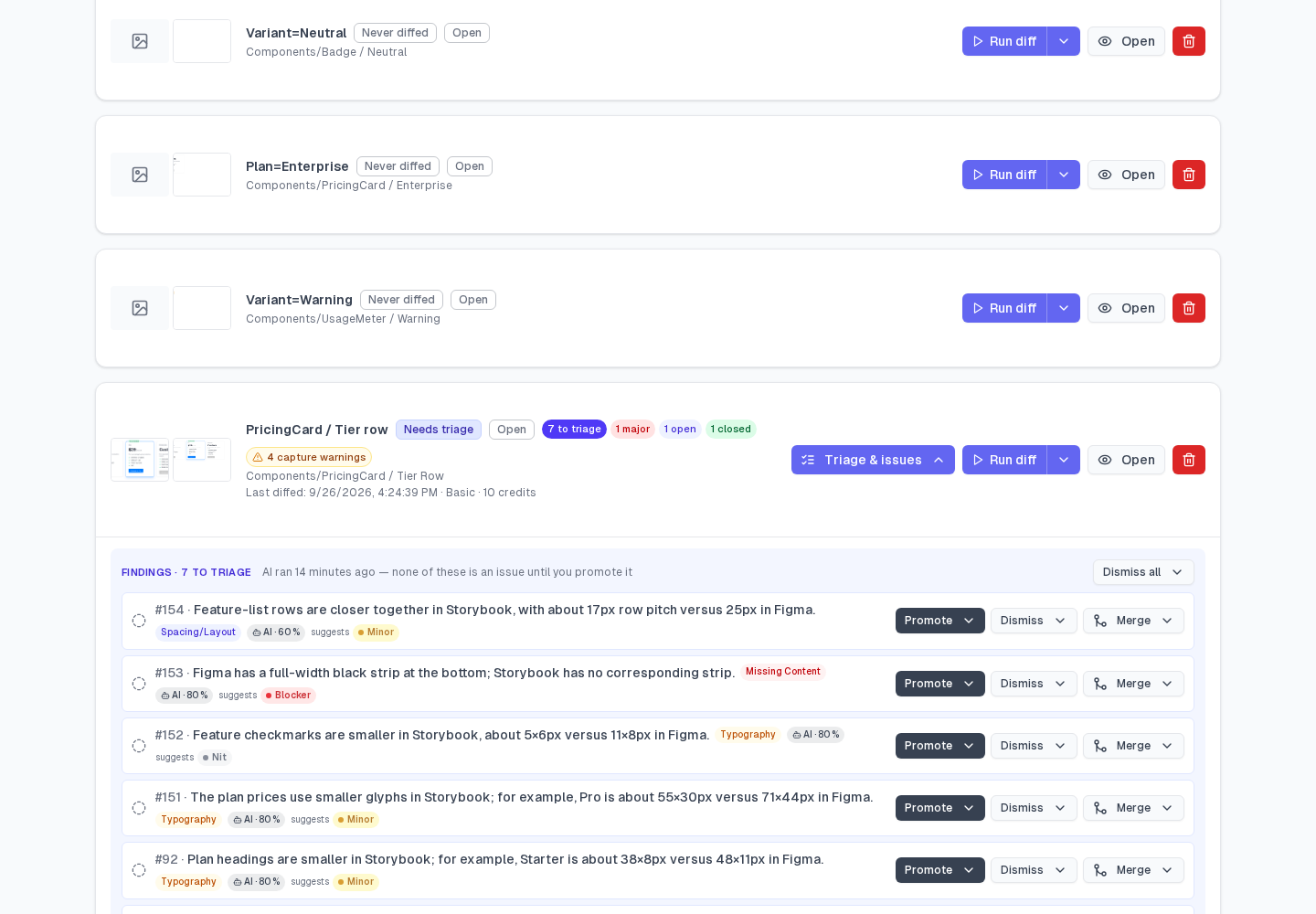
input_versionandjudge_versionas small tags you can copy. - Link list. A link row shows a small N capture warnings badge when its latest run has warnings.
- The run object.
GET /api/agent/runs/:runIdreturnsjudge_version,judge_label,judge_arm,input_version,capture_profileandcapture_warnings. The run listGET /api/pairs/:pairId/runsreturnsinput_versionandcapture_warningsbut not the profile. See the Diff Service API reference. - The hybrid report. Every run's
hybrid-report.json(GET /api/pairs/:pairId/runs/:runId/hybrid-report) carriesinput_versionat the top level,inputs.{input_version, capture_profile, capture_warnings}, and the judge stamps with the full judge config.
Runs from before these fields existed read back null. Capture details are visible only to members of the run's project, like the run itself.
The judge: judge_version, judge_label, judge_arm
The judge is everything that decides what a diff finds: the pipeline and tier, each stage's model and effort, the limits, the image preprocessing and the text of every prompt.
| Field | What it is |
|---|---|
judge_version | A 12-character fingerprint of that whole configuration. Two runs with the same judge_version were judged by the same models, settings and prompts. Any change to any of them gives a new value. |
judge_label | The name of the release the judge came from: production on Scrymore, staging on the stage environment. unlabelled means none was set. A label ending in +fallback means the service could not load the registered judge and served its built-in one. |
judge_arm | control for the normal judge. candidate when Scry is trying a new judge on a small, fixed share of pairs; the run is served and billed at the usual tier price, and judge_label names the candidate. |
The judge is chosen once when the run starts and frozen with it, so a retried or resumed run is judged the same way. If a judge is tested in the background ("shadow"), that test never appears in your runs, usage, counts or credits.
Use judge_version when you compare runs: if the same pair gives different findings under two different judge_version values, the judge changed, not your component.
The inputs: input_version
input_version is a 12-character fingerprint of how the run's inputs were made, from two sources:
- Producer facts, sent when the pair is registered: on the Figma side the source (plugin or REST), plugin version, export scale, node size and type; on the Storybook side the sbcov version, capture scale, capture mode, viewport and whether the component root was found.
- Derived facts, read when the run starts: each image's pixel size and whether it has an alpha channel, the Figma layer tree (source, node count, root size), the Figma scale (image width ÷ tree root width, to the nearest 0.25) and the size ratio between the two images.
Image content is not part of it. Two runs on the same pair with unchanged captures share an input_version, so it changes only when how the images were made changes: a new export scale, a new capture mode, a new plugin or sbcov version. Like the judge, it is fixed at run start.
When comparing runs, check both fingerprints. Same judge_version, different input_version: the captures changed. Different judge_version, same input_version: the judge changed.
Capture warnings
Warnings are plain rules over the facts above. No model is involved. They appear as chips on the Capture card, in this order.
scale_mismatch (Scale mismatch 2× vs 1×)
The Figma export scale differs from the Storybook capture scale, for example a 2× Figma export against a 1× story. When only the story's scale is unknown, it fires if the image width ratio (to the nearest 0.25) is not 1. It never fires when the Figma scale is unknown. At different scales every edge, gap and font lands on different pixels, so small size and spacing findings are expected.
What to do: capture the story at the Figma export scale. Figma exports at 2×, so set captureScale: 2 (the default from sbcov 0.6). See Storybook capture settings.
size_mismatch (Sizes differ N px)
The two sides differ by more than 2 design px (image px ÷ each side's scale). A 780×1688 image at 2× and a 390×844 image at 1× are the same size in design px, so that is a scale mismatch, not a size mismatch. A story with no recorded scale is taken at sbcov's old default of 1×.
What to do: crop the story to the component with captureMode: 'root', and add data-scry-root when the story wraps the component in padding or a decorator. If the story is already cropped, check the Figma frame's size: a frame with extra padding around the component will not match.
alpha_unflattened (Alpha not flattened)
One side's PNG has an alpha channel (the warning names which: figma or story). Models and the pre-filter read transparent pixels as black, so a transparent background can show up as "Background is black instead of white".
What to do: give the Figma node a background fill, so the export is flattened, then sync the layer again.
viewport_capture (Viewport capture)
The story was captured as the whole browser window rather than the component: either the capture recorded viewport mode, or its image is exactly 1280×720 times a whole device pixel ratio. The component is then a small part of a large image, surrounded by empty page, and positions are measured against the window.
What to do: set captureMode: 'root' (the default from sbcov 0.6) and redeploy.
missing_profile (Capture details not recorded)
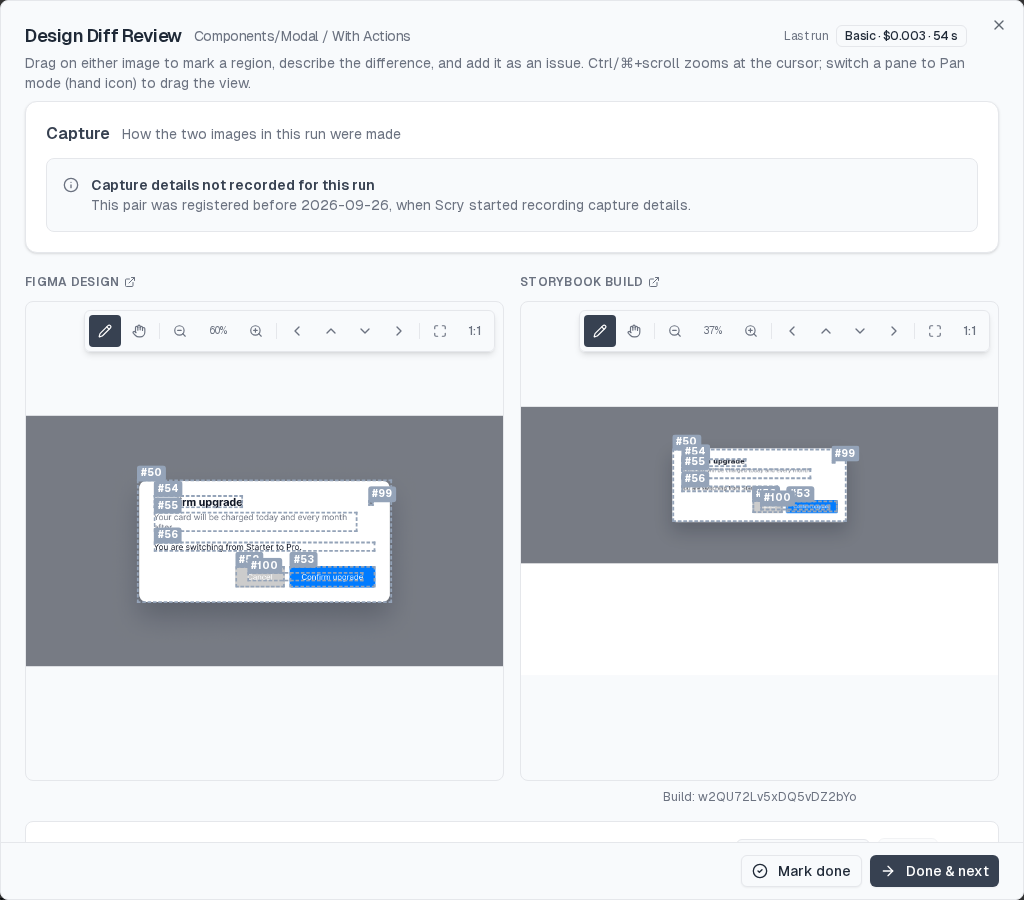
The pair carries no producer facts: it was registered before this feature, or by a caller that does not send them. input_version then covers derived facts only, and the Capture card shows Capture details not recorded for this run. This is not a problem with the images and is not counted on badges.
What to do: nothing. The next sync from an up-to-date dashboard or Scry Link records them. To force it, re-register the pair by syncing the layer again.
A run with facts and no warnings shows No capture warnings:
The "Likely capture artefact" hint
On an issue whose label is spacing/layout, size, inset/shift or colour/background, and whose run has a warning that can cause that kind of finding, the dashboard shows a quiet Likely capture artefact chip. Hover it to see which warning:
| Issue label | Warnings that trigger the hint |
|---|---|
| Spacing/layout, size, inset/shift | scale_mismatch, size_mismatch, viewport_capture |
| Colour/background | alpha_unflattened |
It is a hint, never a status change. Nothing reads the warnings back: the issue keeps its status and severity, and the project's counts, badges and "to triage" roll-up are unchanged. Promote or dismiss it as you would any issue. If the hint is right, the better fix is usually the capture setting the warning names; the next run then compares like with like.
Related
- Reviewing a Design Sync run: the Screens list, the diff editor, and Issues
- Storybook capture settings:
captureScale,captureModeanddata-scry-root - Figma Plugin: linking, sync and diff tiers
- Review model: candidates, promotion and severity