Quick Start
Set up Scry with your coding assistant, or use the CLI directly.
Set up with your assistant
From your application's repository:
npx skills add epinnock/scry-node --skill scry-setupThe current installer requires Node.js 22.20 or newer. Choose your assistant, then ask: “Set up Scry for this project and connect my assistant to its components.”
The skill checks your Storybook, configures the requested deployment and MCP integration, and verifies the result. You complete account sign-in in your browser. You can also ask for MCP alone if your project is already indexed.
See Set up with your AI assistant for client-specific commands, manual installation, and example requests.
Set up directly with the CLI
This path needs an existing Storybook build script, a GitHub repository, Node.js 18 or newer, and an authenticated GitHub CLI (gh auth login) for automatic repository secret setup.
1. Select a Scry project
Sign in to the Scry Dashboard, create or select a project. A new project's Overview page opens on its setup checklist, which has a copy project ID step and, once you generate a key, a ready-to-run deploy command with the key already filled in — the fastest path through this whole section. You can also find both any time under the project's Settings ▸ General (project ID) and Settings ▸ API keys (generate or revoke a key). Keep the key in your local environment as SCRY_API_KEY; do not put it in committed configuration. Use the API URL supplied by the dashboard or your existing project settings.
2. Run init
init creates or overwrites .storybook-deployer.json and the generated workflows, configures GitHub variables/secrets, then commits and pushes. Check your working tree and staged changes first. If you want to prepare local files before publishing, use the skill or the manual deployment guide.
Run from the repository containing your Storybook:
npx @scrymore/scry-deployer init \
  --project-id YOUR_PROJECT_ID \
--api-key "$SCRY_API_KEY"pnpm dlx @scrymore/scry-deployer init \
--project-id YOUR_PROJECT_ID \
--api-key "$SCRY_API_KEY"yarn dlx @scrymore/scry-deployer init \
--project-id YOUR_PROJECT_ID \
--api-key "$SCRY_API_KEY"Add --api-url YOUR_UPLOAD_API_URL if your project uses a different endpoint. The --skip-gh-setup option skips setting GitHub variables and secrets; it still commits and pushes. Its manual setup output can include the key, so do not share those logs. For manual CI configuration, see GitHub Actions.
3. Check the workflows and deployment
Check the repository's Actions tab and open the URL reported by the deployment. Adapt generated workflows for a monorepo, custom build output, package-manager version, or default branch as needed.
To maintain a /latest/ URL for the main build, pass --deploy-version latest in its deployment step. GitHub context can override a version set only in the configuration file or environment. PR deployments should pass the PR number explicitly too, for example --deploy-version pr-123; the workflow example uses the event's PR number.
For searchable components, keep --with-analysis and coverage enabled, confirm that screenshots and metadata were uploaded, and wait for indexing to finish. Then connect MCP and search for a known component with your project's ID. A successful static upload alone does not confirm search is ready.
The dashboard tour
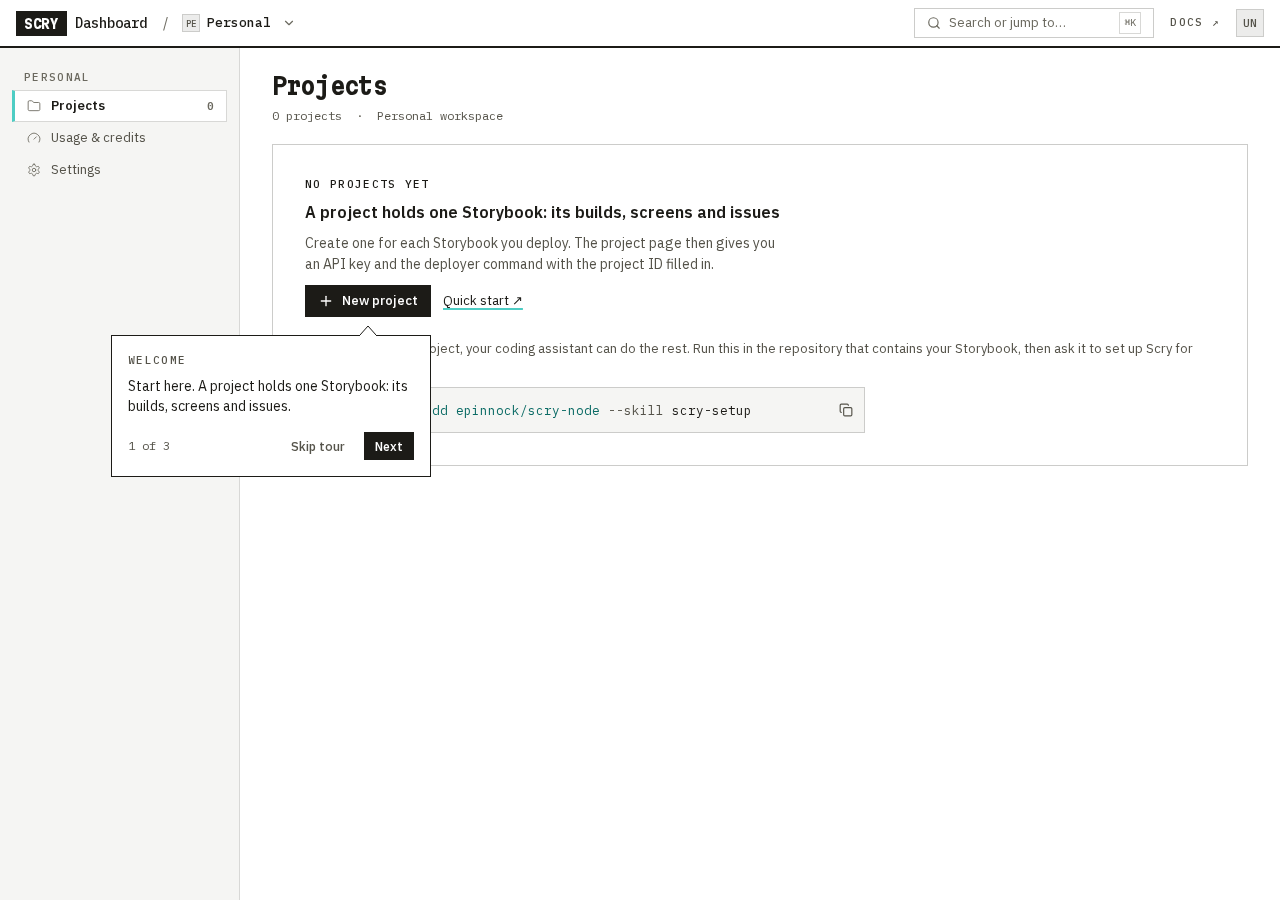
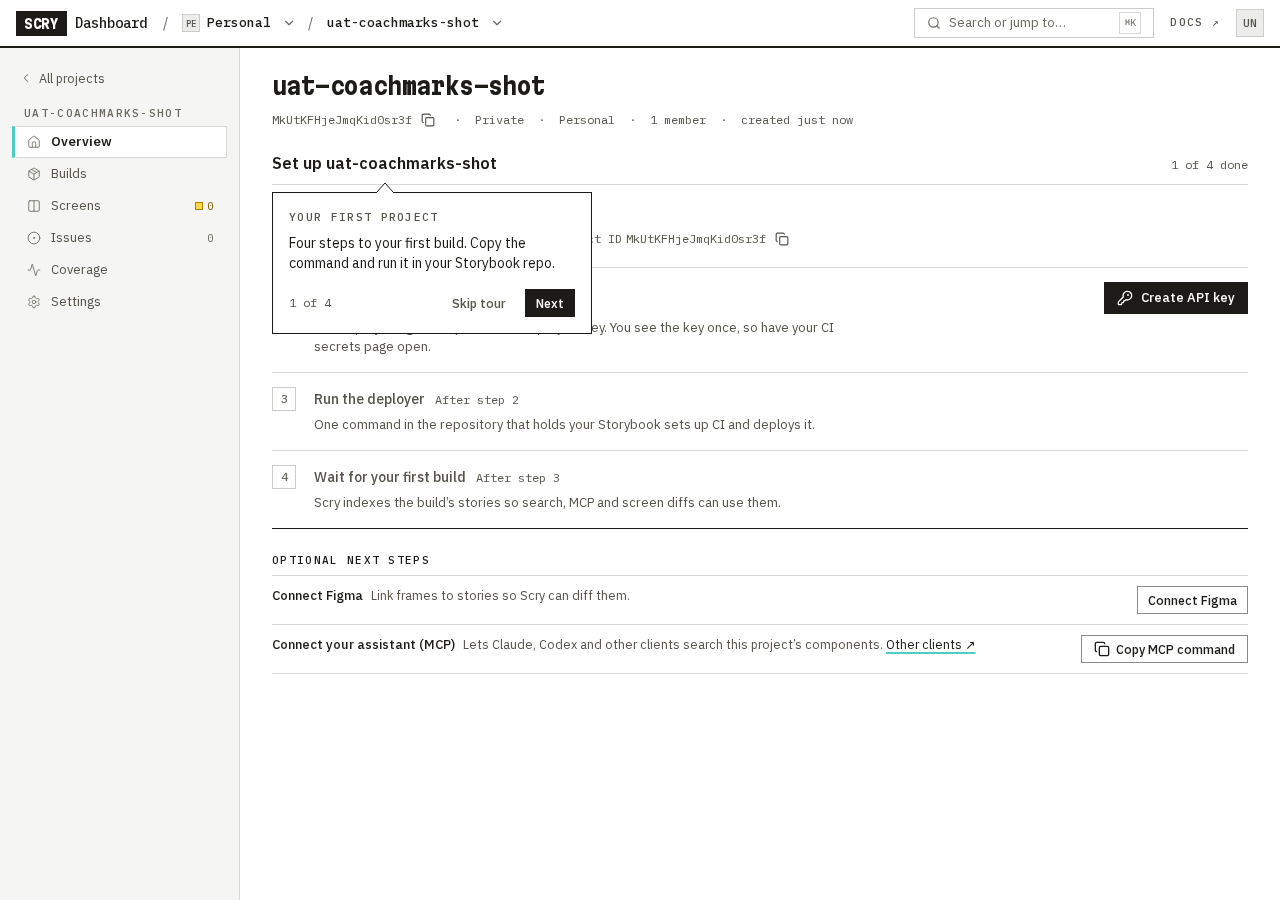
The dashboard has short guided tours. Each step is a small card next to a real control, with Next, Back and Skip tour. Nothing dims the page and a card never traps your keyboard, so you can keep using the dashboard while it is showing. A card can cover part of the page: press Esc (when you are not typing in a field) or choose Skip tour to dismiss it.
Every tour
"Starts by itself" is one of three things. New accounts only tours appear while your account is just starting. First time you reach the screen tours appear the first time you open that page, when the page has something for the tour to point at. After three days of use applies to Power tips only. Every tour shows once; skipping or finishing is remembered on your account.
| Tour | Where it appears | Starts by itself | Steps |
|---|---|---|---|
| Welcome | Projects page | New accounts only: while you have no projects | 3: New project, workspace switcher, search |
| Your first project | A project's Overview | New accounts only: your first project, before its first build is indexed | 4: setup checklist, Builds, Screens, Issues |
| Review your screens | A project's Screens page | First time you reach it, when the project has linked screens and none has been diffed or opened yet | Up to 4: status, source filter, Run diff, opening a screen |
| The diff editor | A screen in the diff editor | First time you open a screen that has findings waiting | 3 (2 if you cannot promote findings): Findings, Evidence, promoting a finding |
| Triage issues | A project's Issues page | First time you reach it, once the project has at least one item (findings included) | 3: status tabs, filters, issue list |
| Fix an issue | An issue page | First time you open an issue that is open or awaiting verification | 3 (fewer if a step has nothing to point at): Fix in, the tracks for each side, Mark fixed |
| Usage & credits | Usage & credits page | First time you reach it, where credits are counted or enforced | Up to 4: balance, what tasks cost, usage by project (or an owner-only note for members), how to ask for more |
| Low credits | A project's Screens page | First time your balance cannot pay for Plus but can still pay for Basic | 1: why Plus is blocked first |
| Capture sources | Settings > Figma | First time you reach it, when the project has a capture source besides the web Storybook | 2: a source card, how to add another source |
| Build sources | A project's Builds page | First time you reach it, when a build shows its source | Up to 3: source chip, device line, changed story ids |
| Capture warnings | A project's Screens page | First time you reach it, when a screen has a capture warning | 1: the capture warnings label |
| Coverage report | A project's Coverage page, or a build's Coverage tab | First time you reach it, with a report on screen for an indexed build | 4 (3 for a viewer, or when no story fails): quality gate, component filter, a component row, creating a GitHub issue |
| Power tips | A project page (a section such as Builds, Screens, Issues; not Overview or the diff editor) | After three separate days of using the dashboard in this browser | 2: search and jump keys, section keys |
Step counts are the most a tour shows. A step whose control is not on your screen (for example a button your role cannot use) is left out, and the card counts only the steps you see.
Replay. Open Account ▸ Help and choose Replay next to a tour. See Account settings for where each Replay opens. Replay works even when the page has nothing for the tour to point at, so a tour tied to a condition (a capture warning, a native build) can show fewer steps or none.
Where and when. Tours appear on screens 900 pixels wide or more; on a narrow window or a phone you will not see them. Only one card shows at a time on a page.
What is not covered. Only the pages in the table have a tour. There is no tour for Members, Notifications, MCP or the rest of Settings, and none on a phone or a narrow window. Credits tours appear only where credits are on for your workspace.
Keys the Power tips tour mentions
- Ctrl+K (Cmd+K on Mac): open search and jump. Works everywhere in the dashboard. Type words and choose Search images for … to send them to Image search.
- /: focus the filter on the current page, on pages that have a filter (Projects, Builds, Screens, Coverage, Issues, search). It does nothing on Overview and Settings.
- g, then a letter: jump to a section of the current project: o Overview, b Builds, s Screens, i Issues, c Coverage, t Settings. It works on a project page, not while a dialog or menu is open or while you are typing in a field.
- ? in the diff editor: lists every editor key. Do not use the g jumps inside the editor: several of those letters are editor keys.
Next steps
- First Deployment — deploy without running init
- GitHub Actions — customize deployment and previews
- MCP Server — connect your assistant to indexed components
- Figma Plugin — link design layers to stories
- Account settings — replay the dashboard tours
- Members and Invites — add teammates to a workspace or a project